How Time Control Works
One photo per dish, one countdown per dish, an alert when time is up, and a record of every start.
01
One dish, one photo, one tap to start
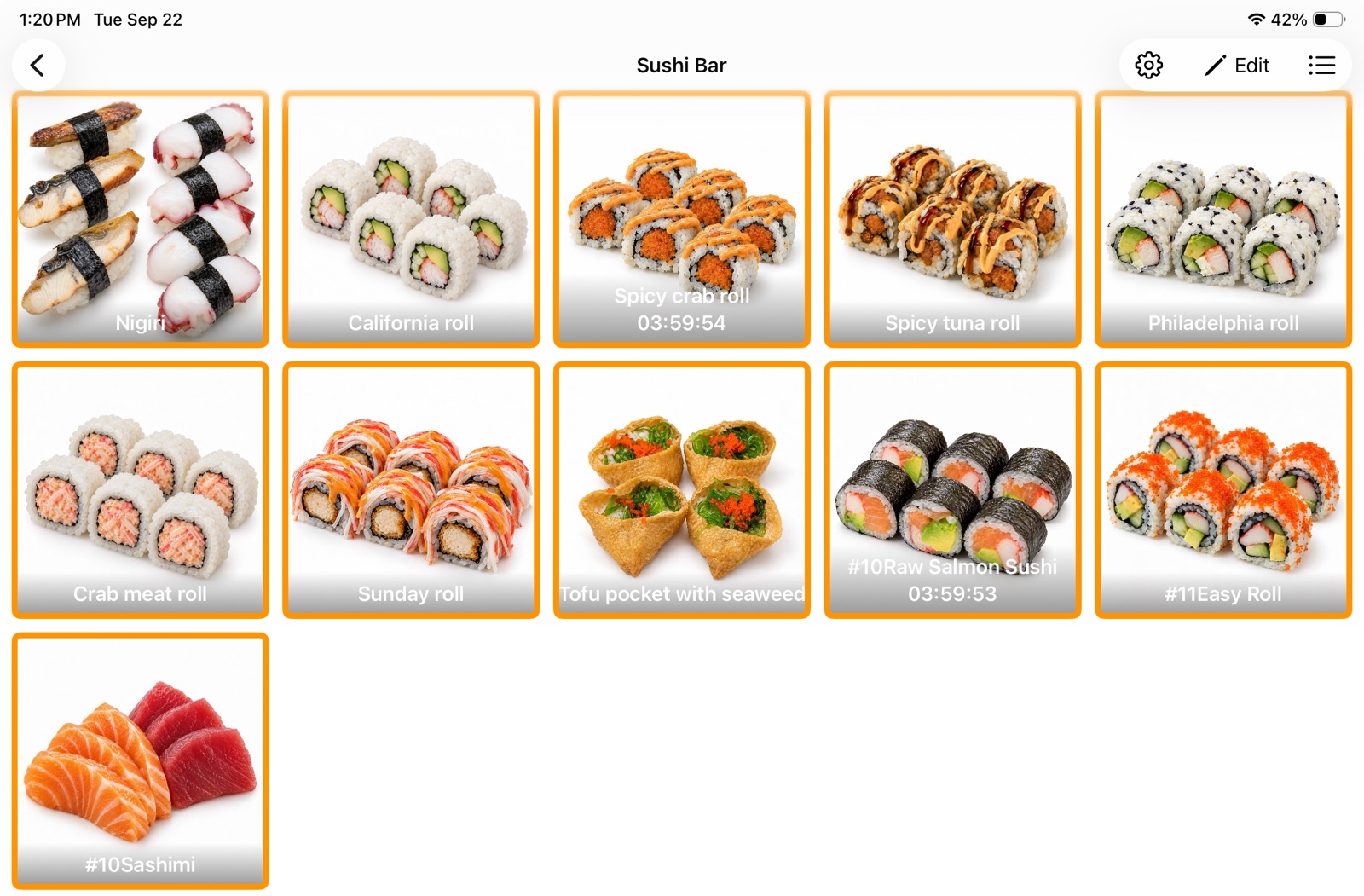
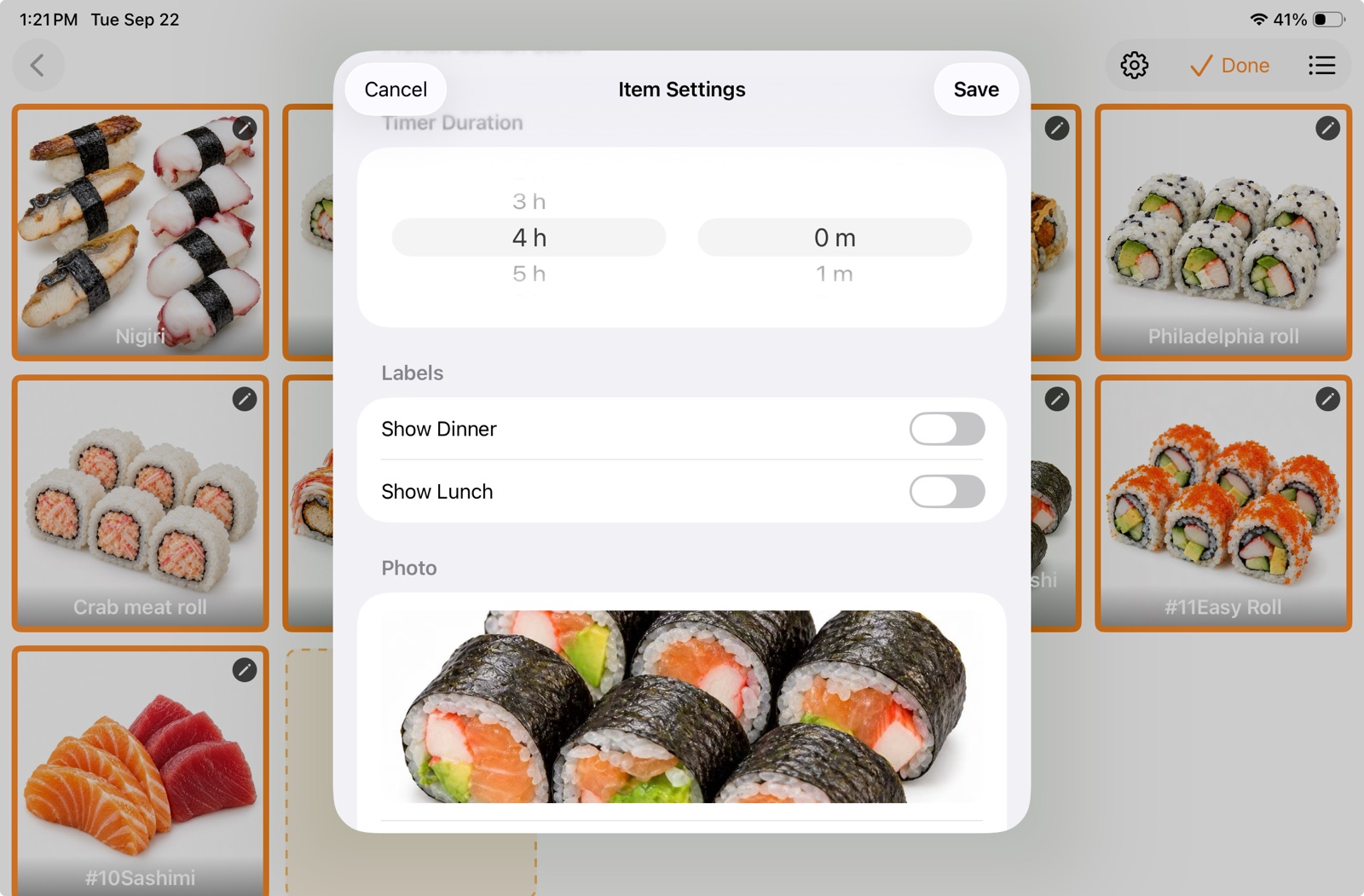
Every dish can be set up with its own photo and name, grouped by hot bar, salad bar, sushi bar, or kitchen station. Staff find the dish, tap the picture, and the countdown starts, instead of writing and rewriting timing information by hand.
Each dish's remaining time is shown clearly on screen. Which dish is running and which one needs attention is easy to see at a glance, and shift hand-offs get simpler.
02
Built to support four-hour time control
For foods that local rules allow to be held under “time as a public health control,” once the applicable conditions such as starting temperature are met and a written procedure is on file, a restaurant may use a four-hour time limit. Time Control helps staff carry out that timing procedure.
Timing should begin at the required starting point, for example when the food is removed from temperature control, not restarted from the moment someone notices the temperature is out of range.
Countdown length is set per dish so it fits different operating needs. When used for food-safety management, the length you set must stay within what the applicable rules allow.
03
Time is up: spoken and shown at the same time
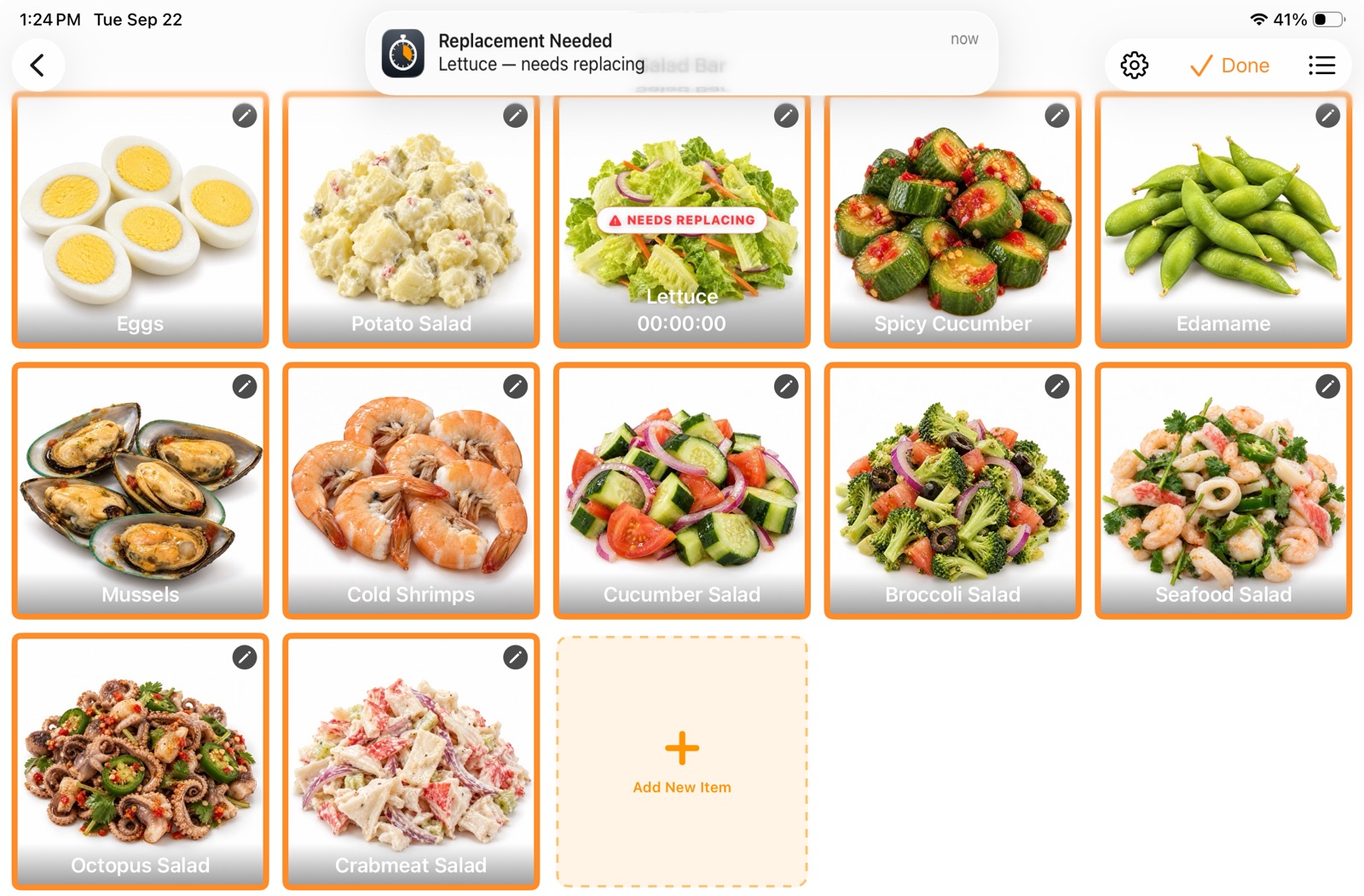
When the set time runs out, the app announces the dish that needs replacing out loud and shows a bold “Needs Replacing” badge on screen, so staff notice quickly and handle it by your procedure.
For food held under a four-hour time limit, anything left at the end of the limit must be discarded as required. Restarting the countdown is not a way to extend its use.
04
Timer Log: every start on the record, easy to look up
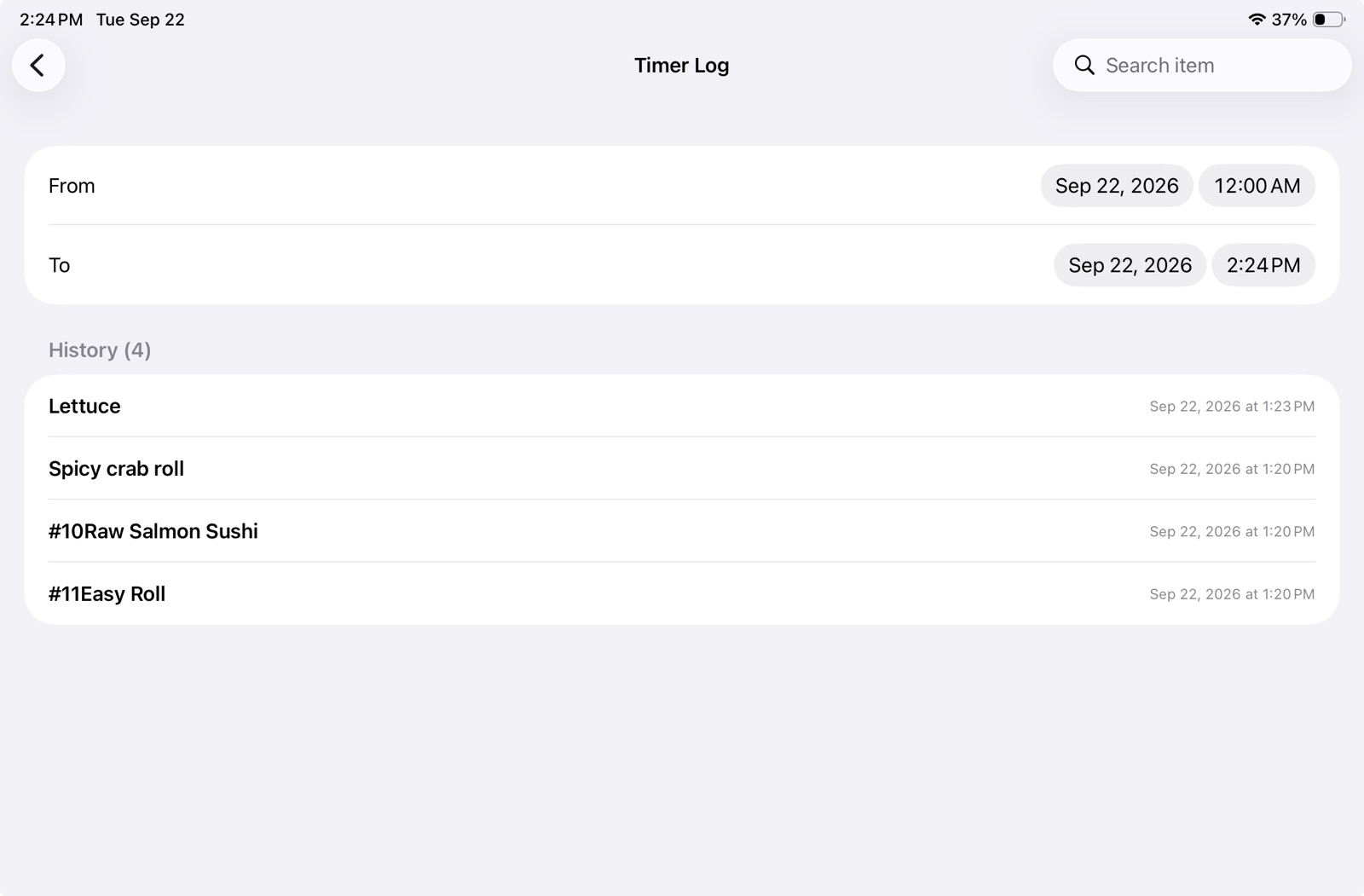
Every time a dish timer is started, the app saves the dish name and the start time to the Timer Log. You can search it by dish name and by date, so owners can review the day and staff have something concrete to point to during a health inspection.
Staff should tap start at the moment the food actually goes out and timing should begin. What the system records is the moment start was tapped, which is why accurate, prompt tapping matters.
05
Clearer days, better-prepared inspections
When a health inspector comes in, owners and staff can use the timing status on screen together with the searchable Timer Log to explain how the restaurant manages food time and how staff are prompted to act.
Alongside your written procedures, on-site food labels, and any required temperature records, Time Control helps a restaurant keep time management organized and easy to show, with less scrambling for information and less repeated explaining.
06
Five languages, one shared iPad
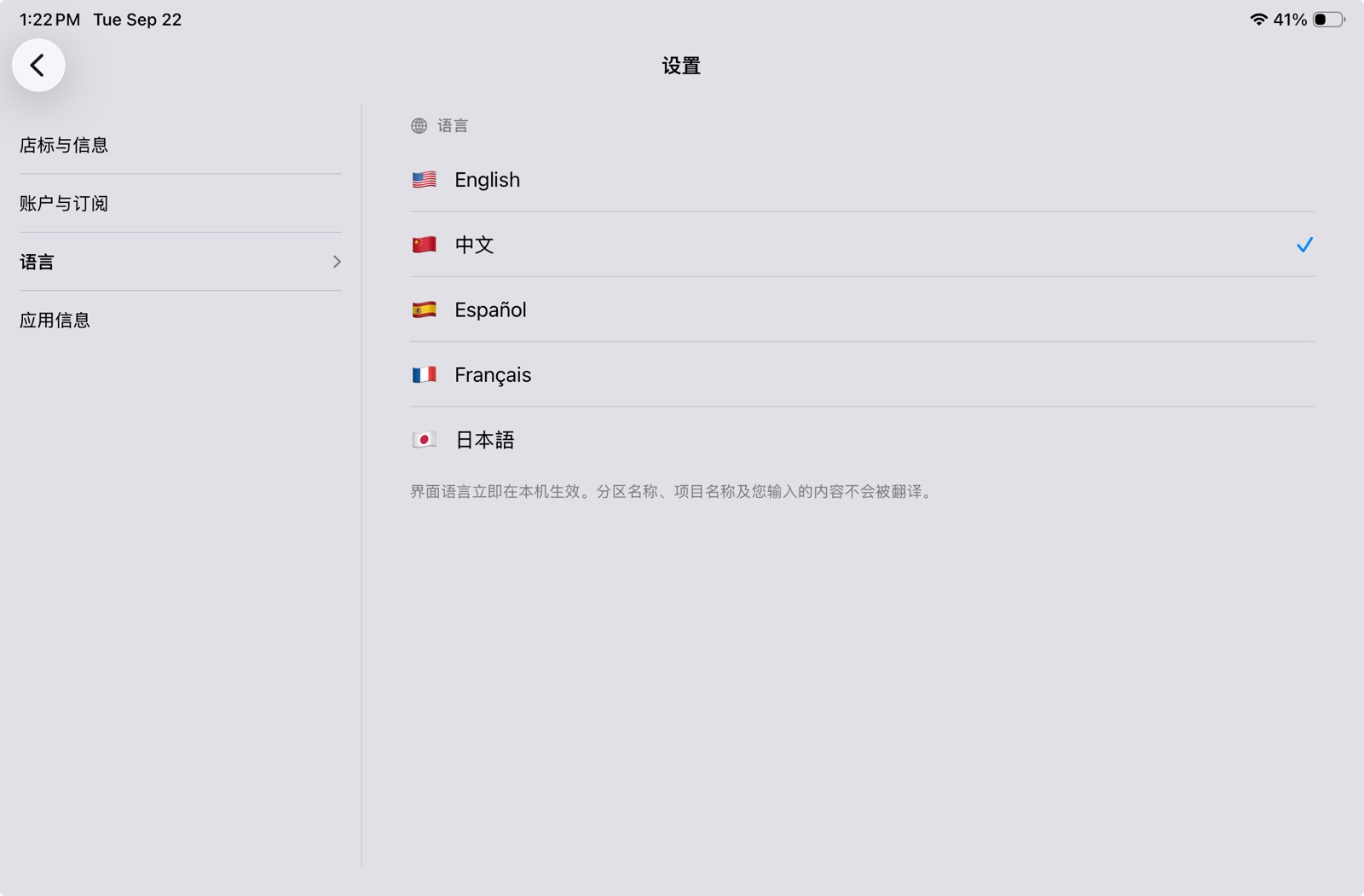
The interface runs in English, Chinese, Spanish, French, and Japanese, and the language is switched per device, so everyone on the line can read the screen in their own language. Station names, dish names, and anything you type stay exactly as you entered them.